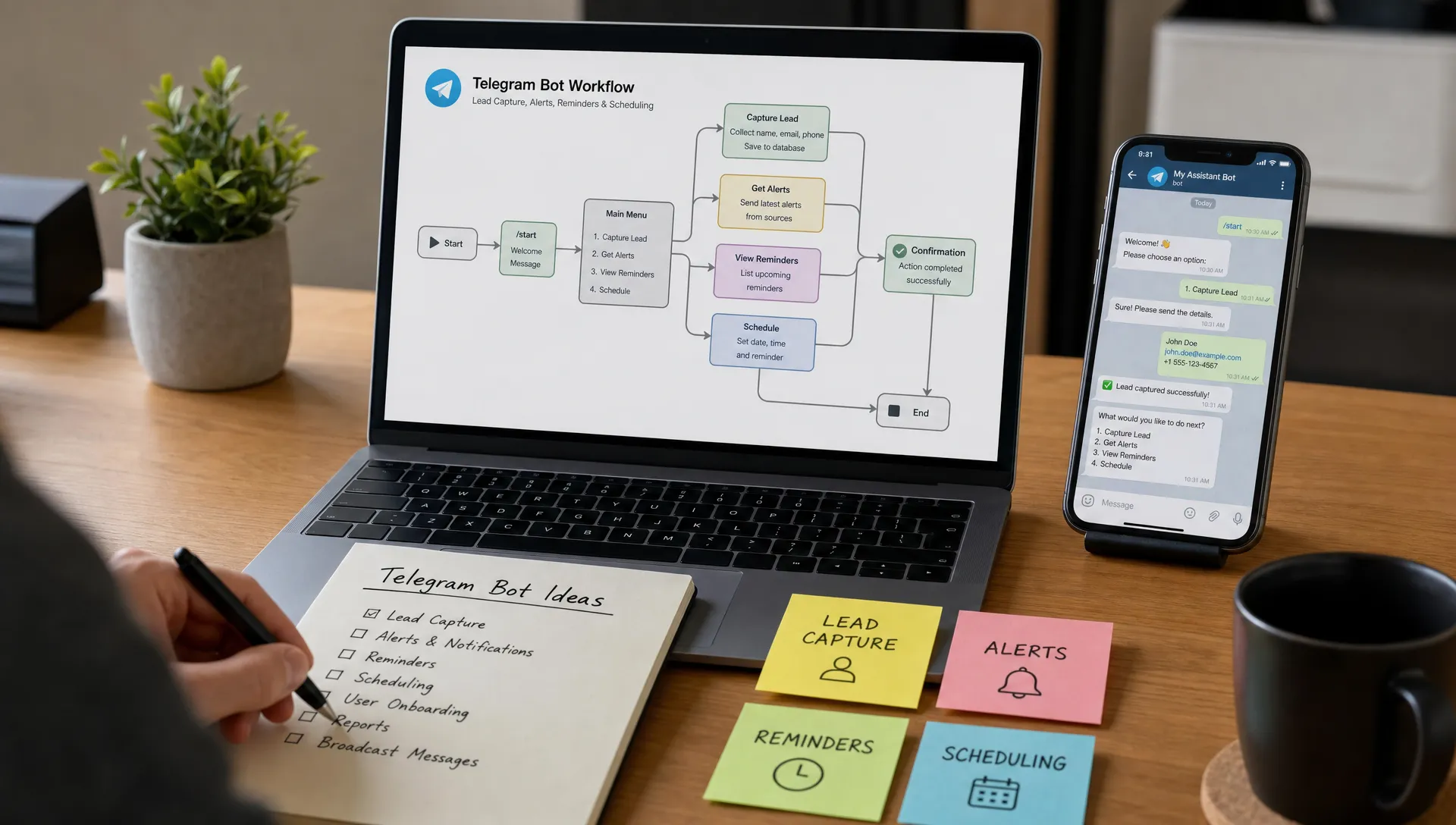
A strong Telegram bot idea does not need to start with a giant product roadmap. The best first version usually does one useful job inside a chat people already use every day: remind, collect, notify, search, approve, summarize, or connect.
That is why Telegram is such a good place for fast launches. You do not need to design a full mobile app interface before validating the idea. A bot can start with a few commands, a simple menu, a webhook, and a database record. If people use it, you expand it.
Below are practical Telegram bot ideas you can build and launch quickly, with MVP scopes that keep the first version small enough to ship. Most can be built with the Telegram Bot API and a Node.js framework like Telegraf, then hosted without managing a server.
What makes a Telegram bot fast to launch?
A fast-launch bot is not just “small.” It has a narrow job, a predictable conversation flow, and limited dependency on external systems.
Before choosing an idea, pressure-test it against four questions:
- Can the user get value in under one minute?
- Can the first version work with 3 to 5 commands or buttons?
- Can you store only the minimum data needed?
- Can the bot run safely 24/7 without manual monitoring?
The last point matters more than many builders expect. A bot that works locally but goes offline when your laptop sleeps is not really launched. If you want to avoid the infrastructure side, NxCreate provides free Telegram bot hosting for TelegrafJS bots, with no-server deployment and 24/7 runtime.
Quick comparison: which Telegram bot idea should you build first?
Use this table to match your idea to your audience and technical scope.
| Telegram bot idea | Best audience | MVP scope | Complexity |
|---|---|---|---|
| Reminder bot | Students, teams, busy professionals | Save reminders and send alerts | Low |
| FAQ bot | Communities, support teams, creators | Answer common questions from a knowledge base | Low |
| Lead capture bot | Agencies, freelancers, local businesses | Collect contact details and service needs | Low |
| Expense tracker bot | Individuals, small teams | Log expenses and show totals | Medium |
| Content scheduler bot | Creators, channel admins | Queue messages for a Telegram channel | Medium |
| Order status bot | Ecommerce teams | Look up status by order ID | Medium |
| Community moderation bot | Group admins | Detect spam patterns and enforce rules | Medium |
| Habit tracker bot | Individuals, coaches | Track daily check-ins and streaks | Low |
| Webhook alert bot | Developers, ops teams | Forward app events into Telegram | Low |
| AI assistant bot | Creators, internal teams | Answer or summarize using an AI API | Medium |
1. Personal reminder bot
A reminder bot is one of the fastest Telegram bot ideas because the first version can be tiny: the user sends a task and a time, then the bot sends a message later.
The MVP can support commands like /remind, /list, and /done. You can start with plain text parsing instead of building a complex natural language engine. For example, “pay invoice tomorrow 9am” can become a saved reminder with a timestamp and message.
This idea works well because Telegram already feels like a personal command center. Users do not need to install another productivity app or learn a new interface. They just message the bot.
2. FAQ bot for a community or product
If you manage a Telegram group, Discord-adjacent community, course cohort, SaaS beta, or crypto community, repeated questions can consume hours. A simple FAQ bot can answer common questions instantly.
Start with a fixed set of questions and answers stored in a JSON file or database. The bot can reply when users type /faq, tap a category button, or ask a phrase that matches known keywords.
Keep the first version controlled. You do not need a full AI knowledge system on day one. A curated FAQ with categories like pricing, access, rules, troubleshooting, and contact details can already reduce repetitive support.
3. Lead capture bot for freelancers and agencies
A lead capture Telegram bot can replace a static form with a guided chat. This is especially useful for consultants, agencies, recruiters, coaches, and local service businesses that want a lightweight intake flow.
The bot asks a few questions, saves the answers, and notifies the business owner when a qualified lead arrives. A simple flow might collect name, email, budget range, project type, and preferred timeline.
The fast-launch version should avoid complicated qualification logic. Start by capturing structured answers and sending a summary to an admin chat. Later, you can add scoring, CRM integration, calendar links, or automated follow-ups.
4. Webhook alert bot for developers
A webhook alert bot is a practical tool for developers and ops teams. It receives events from other apps and forwards them to a Telegram chat.
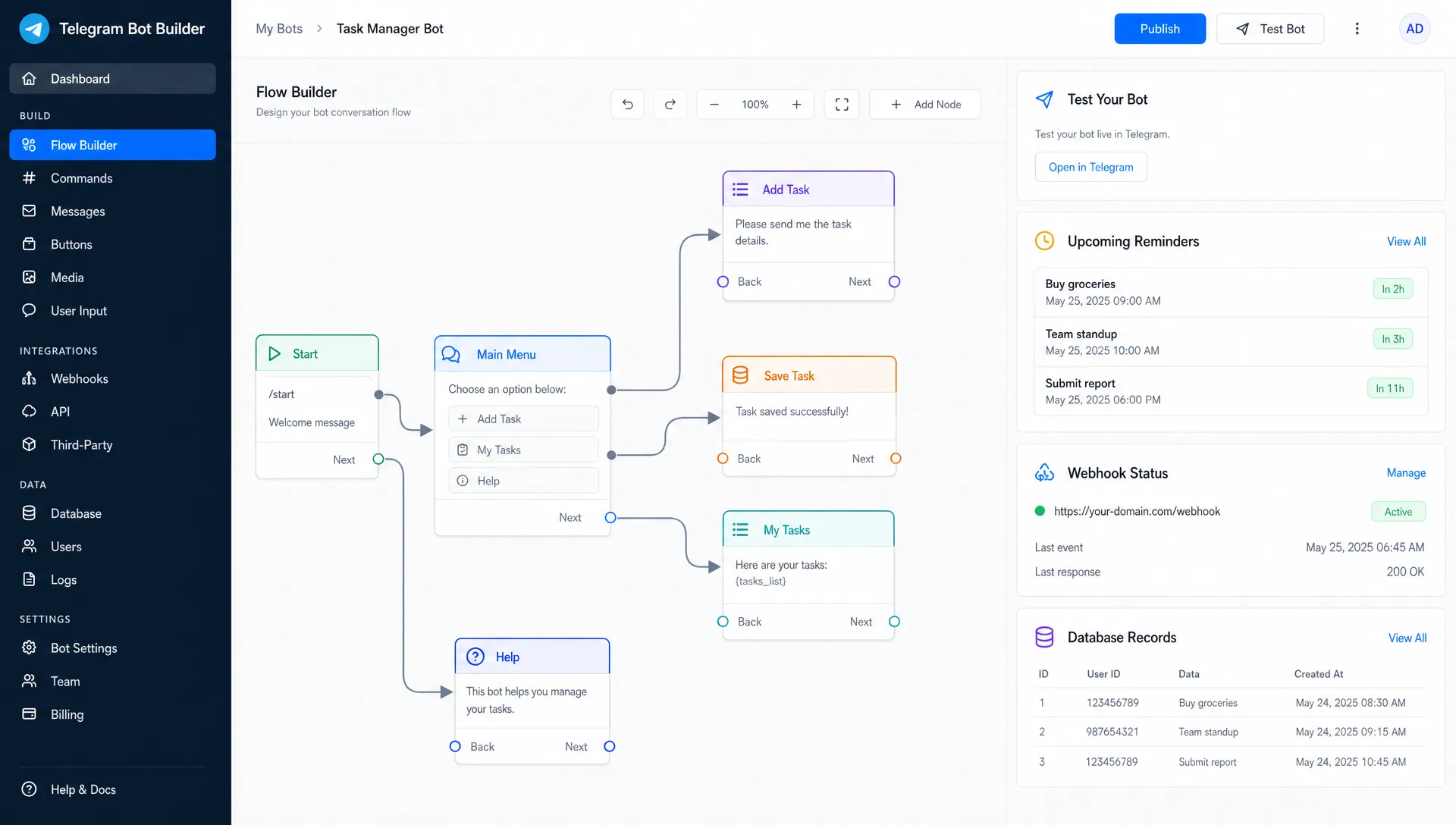
For example, the bot can notify you when a payment succeeds, a build fails, a contact form is submitted, or a background job throws an error. The MVP is straightforward: create a webhook endpoint, validate a secret, format the event, and send it to a configured Telegram chat.
This is a strong early project because it teaches you the real-world hosting pattern for bots: external event comes in, bot formats context, user receives a message. If you are comparing deployment options, it is worth understanding webhook vs polling for Telegram bot hosting before you launch.
5. Expense tracker bot
An expense tracker bot lets users log spending from inside Telegram. The first version can be as simple as “coffee 4.50” or “taxi 18 travel.” The bot stores the amount, category, date, and user ID, then returns weekly or monthly totals.
This idea becomes useful quickly because the input is low friction. People often fail to track expenses because opening a spreadsheet or finance app feels like too much effort. Sending a quick chat message is easier.
For an MVP, support a small category list and a /summary command. You can add CSV export, budgets, recurring expenses, or team reimbursement workflows later.
6. Habit tracker bot
A habit tracker Telegram bot can help users check in daily for exercise, reading, language learning, meditation, medication, or any recurring behavior.
The MVP can include /start, /addhabit, /checkin, and /stats. The bot should focus on streaks, missed days, and simple encouragement. You can also let users set a daily reminder time.
This is a great idea if you want a bot with repeat engagement. Instead of being used once, it becomes part of the user’s routine. The challenge is not technical complexity, but making the interaction feel rewarding without becoming noisy.
7. Content scheduler for Telegram channels
Channel admins often need a simple way to schedule posts without logging into a separate dashboard. A content scheduler bot can let admins send a draft, choose a time, and publish it later to a connected channel.
The MVP should support text posts first. Then you can add images, links, recurring posts, approval flows, and preview mode. Keep permissions strict from the beginning, since publishing to a channel is a privileged action.
A useful first version might include an admin allowlist, /schedule, /queue, and /cancel. Even this limited feature set can be valuable for creators who run newsletters, announcement channels, education communities, or product update feeds.
8. Community moderation bot
A moderation bot can help group admins reduce spam and enforce basic rules. Start small by detecting links from new users, repeated messages, banned words, or suspicious join patterns.
Avoid trying to build a perfect anti-spam system immediately. The MVP can warn, delete, or notify admins instead of automatically banning everyone. This lowers the risk of false positives while still saving time.
You can also add onboarding features. For example, when someone joins, the bot sends group rules, asks them to acknowledge guidelines, or points them to useful resources.
9. Order status lookup bot
An order status bot is useful for ecommerce stores, local delivery businesses, digital product sellers, and internal operations teams. The user enters an order ID, and the bot returns the current status.
The first version does not need to process payments or manage the whole customer journey. It only needs to retrieve status from a database, spreadsheet, or API and display it clearly.
This bot becomes more powerful when it can send proactive updates, such as “your order has shipped” or “your appointment is confirmed.” For launch, however, start with lookup. It is easier to secure, easier to test, and easier to explain.
10. Simple booking request bot
A booking bot can collect appointment requests for consultants, tutors, salons, repair services, coaches, or clinics. Instead of building a full scheduling platform, the MVP can collect preferred dates and notify a human to confirm.
This is often enough for small businesses. Many do not need automatic calendar conflict resolution at first. They need a cleaner way to collect requests and avoid missed messages.
Your first version can ask for service type, preferred time, contact details, and notes. Then it sends a formatted booking request to an admin chat. Later, you can add calendar APIs, reminders, and cancellation flows.
11. Daily digest bot
A daily digest bot collects updates and sends them at a scheduled time. This can work for news, team standups, stock watchlists, community highlights, product metrics, or learning prompts.
The MVP depends on one reliable source. For example, summarize the latest posts from an RSS feed, collect messages tagged with a keyword, or send a manually curated daily note.
This idea works best when the digest is specific. “Daily tech news” is crowded and hard to differentiate. “Daily funding news for robotics founders” or “daily practice prompt for IELTS students” is much more focused.
12. Poll and feedback bot
A poll bot helps teams, creators, and communities collect opinions quickly. Telegram has native poll features, but a custom bot can add structure, storage, reminders, and reporting.
The MVP can let an admin create a question, send it to a group or channel, and store the responses. You can add anonymous mode, deadline reminders, segmentation, or export later.
This is a good idea for communities that need recurring feedback: event ratings, product feature votes, lesson reviews, or team pulse checks.
13. Micro-course bot
A micro-course bot delivers lessons inside Telegram. It can send one lesson per day, ask a quick question, and track completion.
This format is excellent for language learning, exam prep, onboarding, fitness challenges, creator education, and internal training. The MVP can be content-driven rather than technically complex. Store lessons, send them in sequence, and track the user’s current step.
If you already have educational content, this is one of the fastest ways to turn it into an interactive product. The bot becomes both the delivery channel and the progress tracker.
14. Internal approval bot
Many teams still approve things through scattered chat messages. A Telegram bot can structure that process for expense approvals, content approvals, access requests, refunds, time-off requests, or deployment approvals.
The MVP can be simple: a user submits a request, the bot sends it to an approver, and the approver taps Approve or Reject. The bot records the decision and notifies the requester.
This idea is especially useful because it turns informal chat into an auditable workflow. You do not need a full internal tools platform to validate the workflow. You just need one approval path that saves time.
15. AI-powered assistant bot
An AI assistant bot can answer questions, rewrite text, summarize documents, brainstorm ideas, or act as a lightweight internal helper. This is one of the most popular Telegram bot ideas, but it is also easy to overbuild.
Start with one job. For example, build a bot that summarizes long messages in a group, rewrites marketing copy, answers questions from a small help document, or generates customer support reply drafts.
The MVP should include clear limits. Tell users what the bot can and cannot answer, avoid collecting sensitive information unnecessarily, and store only what you need. If you build with TelegrafJS, you can connect your AI provider through environment variables and keep secrets out of your code.
How to choose the best Telegram bot idea for a fast launch
The best idea is not always the most exciting one. It is the one where you can reach a real user, solve a repeated problem, and measure whether the bot helped.
Use this simple decision table:
| If your goal is... | Start with this idea | Why it is fast to validate |
|---|---|---|
| Learn bot development | Reminder bot or webhook alert bot | Clear commands and simple state |
| Help a community | FAQ bot or moderation bot | Immediate value for admins and members |
| Support a business | Lead capture or booking request bot | Easy to connect to revenue or operations |
| Build a paid tool | Content scheduler or micro-course bot | Strong recurring use case |
| Improve internal workflows | Approval bot or order status bot | Narrow process with clear success criteria |
If your bot needs persistent storage, design the data model early but keep it lean. For example, user settings, chat IDs, reminder timestamps, and status fields are usually enough for a first version. For more advanced storage decisions, NxCreate has a practical guide to MongoDB patterns that work well for Telegram bots.
A simple launch plan for your first version
Once you pick an idea, resist the urge to add every feature. A useful launch plan can fit into a few stages.
First, define the core action. A reminder bot saves reminders. A lead bot captures leads. A webhook bot forwards alerts. If you cannot describe the core action in one sentence, narrow the idea.
Second, build the shortest conversation path. The user should know what to do after /start. Use buttons when possible, especially for choices like category, status, time range, or confirmation.
Third, add persistence only where it matters. Many early bots need user records, message history, scheduled jobs, or configuration. Avoid storing private data unless it directly supports the use case.
Fourth, test in a private Telegram chat or small group. Watch where users hesitate, what commands they mistype, and what they expect the bot to remember.
Finally, deploy it somewhere reliable. If your bot is meant to answer messages, send alerts, or publish scheduled content, uptime is part of the product. NxCreate is built for this path: write a TelegrafJS bot, deploy without managing servers, use secure environment variables, and keep it running 24/7.
Common mistakes that slow down Telegram bot launches
The fastest builders are not always the ones who write the most code. They are the ones who avoid avoidable complexity.
One common mistake is starting with too many commands. A bot with 15 commands can feel powerful to the developer but confusing to the user. Start with the few commands that create value and add more only when users ask for them.
Another mistake is ignoring failure states. What happens if a user sends the wrong format, an API fails, or a scheduled message cannot be delivered? Friendly error messages make the bot feel much more reliable.
Security also matters from the first version. Keep tokens and API keys in environment variables, validate incoming webhooks, and avoid exposing admin actions to every user. Even a small Telegram bot can cause problems if it has publish, delete, or approval permissions without proper checks.
Finally, do not treat hosting as an afterthought. A bot that goes offline at night will lose trust quickly. If you want to understand the operational side, this guide explains how to keep a Telegram bot online 24/7 without renting a VPS.
Frequently Asked Questions
What is the easiest Telegram bot idea to build first? A reminder bot, FAQ bot, or webhook alert bot is usually the easiest starting point. Each has a clear input, a clear output, and a small MVP scope.
Can I build a Telegram bot without managing a server? Yes. Platforms like NxCreate let you deploy TelegrafJS bots without setting up or maintaining your own server, which is useful if you want 24/7 hosting without DevOps work.
Do I need a database for every Telegram bot? Not every bot needs a database, but most useful bots eventually need storage for user settings, reminders, logs, orders, sessions, or preferences.
Are AI Telegram bots hard to launch? They can be simple if you start with one focused job, such as summarizing messages or drafting replies. The complexity grows when you add memory, custom knowledge, permissions, or multiple workflows.
How do I know if my Telegram bot idea is worth building? Look for repeated behavior. If people already ask the same question, track the same task, request the same update, or perform the same workflow in chat, a bot may be a strong fit.
Build and launch your Telegram bot faster
The fastest Telegram bot ideas start small, solve one real problem, and run reliably once users depend on them. Whether you are building a reminder tool, a lead capture flow, a webhook alert system, or an AI assistant, the goal is the same: ship the first useful version quickly, then improve it based on real usage.
With NxCreate, you can build TelegrafJS bots, deploy without servers, store data, use secure environment variables, test live, and keep your bot running 24/7. Start with one idea from this list, launch the MVP, and let user behavior guide the next feature.
